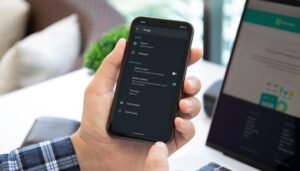

We have already talked about how to use WhatsApp on multiple devices. This time, let us see how to use two WhatsApp accounts on the same phone. Surprising as it may seem, using two WhatsApp accounts on one phone isn’t that hard to achieve in 2021!
How to use two WhatsApp account on one phone – an introduction
There may be several reasons why some people would want to have two instances of WhatsApp Messenger running on the same phone. Some of you may want to keep your personal and professional WhatsApp accounts separate, or maybe it’s just the inner geek in you wanting to use two WhatsApp numbers on a single phone.
On older Android smartphones, running two instances of the same app was, well, a bit problematic. However, most popular smartphone makers have since then rolled out a “dual messenger” feature that lets users install the same app twice on a single device. And this, by far, is the easiest way to use two WhatsApp accounts on the same phone. This feature goes by several different names depending on the smartphone brand you use.
Note that this is not an option in case your smartphone runs stock Android or if it happens to be an iPhone. For these devices, we have other alternatives that we discuss in another section.
How to use two WhatsApp accounts on the same phone on;
Samsung phones – using the Dual Messenger feature
All new Samsung smartphones ship with a feature called ‘Dual Messenger’ that has been tailormade to do precisely this. To access Dual Messenger, follow these steps.
Open Settings.
Scroll down to ‘Advanced features.’
Tap on ‘Dual Messenger’ and toggle the switch next to ‘WhatsApp’ to on.
The app will now install a second copy of WhatsApp on your phone.
Sign in to the second WhatsApp instance as you normally would.
NextPit Samsung Galaxy A51 display
Most Samsung smartphones now support the Dual Messenger feature by default. / © NextPit
Xiaomi phones – using Dual apps
On Xiaomi devices running MIUI, you can use a feature called ‘Dual apps’ to use two WhatsApp accounts on the same phone. Here’s how you can access this feature.
Open Settings and scroll to Apps.
Select Dual Apps, and on the next screen, tap ‘Create.’
Select WhatsApp from the list of apps and make sure the toggle for Dual apps is set to on.
You will now see an option to turn on Dual app for Google services. Turn it on, and the phone will create a new iteration of WhatsApp.
You will now see two icons for WhatsApp on the same phone.
Set up the new WhatsApp account as you usually would.
NextPit Xiaomi Mi 11 Ultra display
Have a Xiaomi phone? The phone comes with an app called Dual Apps that helps you run two instances of the same app on it/ © NextPit
Oppo/ Realme phones – using App cloner
In case you own an Oppo or Realme smartphone, you can have two instances of WhatsApp on the same phone using a feature called App cloner. Here’s how you can use it.
Open Settings and look for ‘App cloner.’
Select WhatsApp from the list of apps.
Make sure the toggle is on, and the phone will create a separate iteration of WhatsApp immediately.
Set it up normally, and you’re ready to go!
OnePlus – using Parallel apps
OnePlus phones running OxygenOS can run two instances of WhatsApp by turning on a feature called ‘Parallel apps.’ Here’s how you can do it.
Open Settings and scroll down to Utilities and tap it.
Tap Parallel Apps and tap the toggle next to WhatsApp.
The new instance of WhatsApp will be created immediately.
You will now see two separate icons for the separate WhatsApp instances.
Sign in to your alternate WhatsApp account.
NextPit OnePlus 9 side
On OnePlus smartphones, you will need to enable Parallel Apps to run use two WhatsApp accounts/ © NextPit
Vivo phones – using App clone
If you happen to own a Vivo smartphone, here’s how you can use two WhatsApp accounts. The process to do this here is slightly different.
Open Settings and scroll down to the App clone option.
Turn on the feature.
Go back to your home screen or app drawer and long-press the WhatsApp icon.
You will see a “+” sign appear at the bottom of the icon.
Simply tap on the “+” sign, and the come app will be created.
Login to the new instance of WhatsApp as you usually would.
Asus phones – using Twin Apps
If you happen to own an Asus smartphone, you can use the Twin apps option to run two instances of WhatsApp on the same phone. Here’s how.
Open Settings and then go to Advanced.
Tap on Twin apps.
Select WhatsApp from the list of apps you want to ‘Twin.’
A pop-up notification will appear, which requires you to wait for a few seconds.
And that’s it! You will now find a second instance of WhatsApp in your app drawer.
Huawei phones – App Twin
On Huawei smartphones (or any device running EMUI), you can run two WhatsApp accounts using App Twin. Here’s how.
Open Settings and then tap on Apps.
Look for an option called App Twin and tap on it.
Select WhatsApp from the list of apps there and make sure the toggle switch next to it is ‘on.’
A new twin version of WhatsApp will be installed on the phone, and you can start using it with a second number.
How to use two WhatsApp accounts on Stock Android?
As you might have guessed, in case you own a phone that runs stock Android, the ability to run two instances of the same phone is not baked in. While there are several apps on the Google Play Store that claim to enable this functionality, we found most of them to be of questionable quality/origins. If that wasn’t all, some of these apps do not work on newer phones that run Android 10 and above. Given the circumstances, we are left with two options that can possibly function as viable alternatives.
NextPit Google Pixel 5 back
Google Pixel and devices running stick Android do not natively support dual apps. But there are workarounds! / © NextPit
Install WhatsApp Business
In case you didn’t know, WhatsApp also has a separate messaging app fine-tuned for small businesses. If your phone lacks the ability to use dual apps, it might be a good idea to download WhatsApp Business from the Google Play Store and use it as a ‘normal’ version of WhatsApp. Do note, however, that your recipients will see a message that reads “this is a business account” on their chat windows. Honestly, this should not be much of a problem.
In case you do not prefer using WhatsApp for Business, it’s time to move to other options.
Create a new user profile on Android
Another way you can have two instances of WhatsApp on the same phone is to set up two user accounts on the phone. Sure, it’s not as seamless as the first option – but is not that hard to do either. Here’s how you can do this.
Open Settings and scroll to System.
Look for an option called Multiple Users and tap on it.
You may have to toggle the switch to turn the feature on.
Tap on ‘Add guest’ and then tap ‘Switch to guest.’
Your phone will switch to the guest mode where you will be able to install a second iteration of WhatsApp.
Use WhatsApp Web on a mobile browser
In case nothing else works, one more option that you can exercise is to use WhatsApp Web on a mobile browser. This ‘solution’ isn’t really perfect/ideal as it warrants that WhatsApp is already installed on another phone. What is better now – thanks to a recent update – is that WhatsApp Web doesn’t need to be constantly connected to the “parent’ phone to work uninterrupted.
Note: This is a crude workaround and should only be tried if all other options failed. In our case, we noticed that after making a few attempts at opening WhatsApp Web on Chrome for Android, WhatsApp began redirecting us to WhatsApp.com.
Anyway, here’s how to do it.
Open the mobile browser on your smartphone (preferably Google Chrome).
Tap the three dots on the top right corner and make sure the ‘Desktop site’ option is checked.
Open web.whatsapp.com on the browser. You will see a screen asking you to scan a QR code.
Open WhatsApp on the phone where WhatsApp is already installed.
Tap the three dots on the top right corner and select ‘Linked devices’ and then tap ‘Link a device.’
You will now see a QR code scanner open.
Point the scanner at the QR code on the other phone, and you will now be able to use WhatsApp Web on the other phone.
How to use two WhatsApp accounts on an iPhone?
NextPit iPhone 12 Mini camera
Yes, it is possible to use two WhatsApp accounts on a single iPhone! / © NextPit
As you might have noticed, most of these solutions seem to only address the concerns of Android users. But what if you happen to use an iPhone? Well, here are the options
Install WhatsApp Business
We have already talked about WhatsApp Business earlier, and as of now, we think it is the only secure, reliable way to use two WhatsApp accounts on a single iOS device. Originally intended for business users, WhatsApp Business can be installed from the iOS App Store. The installation is done in exactly the same way, except that it doesn’t ask for your name, but the name of your “company.” With it, you have two WhatsApps — with different numbers — on the same phone: mission accomplished!
Install an App
As with Android, there are several apps that claim to allow dual app functionality on iOS. However, we noticed that the reviews on these apps were less than spectacular. But if you really wish to try your luck, you may try installing Dual Space for iOS.
Are you a frequent WhatsApp user? Have you ever felt the need to use two WhatsApp accounts on the same phone? Also, do let us know if the solutions provided in this article helped you.
Source: https://www.nextpit.com/how-to-use-two-whatsapp-accounts-on-one-phone
- https://www.nextpit.com/
- United States